VIBEUE VIDEOS
YOUTUBE TUTORIALS & GUIDES
Master VibeUE MCP tools with our comprehensive video library. Learn Vibe Coding and Agentic Development techniques across gameplay scripting, worldbuilding, content pipelines, UI, AI, and editor automation.
VIDEO TUTORIALS
Step-by-step guides to master VibeUE MCP tools and Unreal Engine development

Live Retargeting in Unreal Engine 5.4 - Import Paladin Animations to Any Character
Learn how to use Unreal Engine 5.4's live retargeting to easily transfer Paladin character animations to any custom skeleton! This step-by-step tutorial covers: - Downloading free character packs from the Marketplace - Exporting retarget assets (IK retargeting) - Creating child blueprints from base character classes - Setting up animation blueprints with retargeting nodes - Configuring skeletal meshes and animation modes - Adding patrol targets and testing in-game Based on Gorka Games' method but streamlined for UE 5.4's improved retargeting workflow. Also features assets from Druid Mechanics' UE5 C++ Course. 🔗 vibeue.com for UE5 dev tools 📚 REFERENCES: Gorka Games: https://www.youtube.com/@UCv_n9oioNF6OpzR2dt6E4xg Druid Mechanics: check their UE5 C++ Course 💬 Discord: https://discord.gg/hZs73ST59a #UnrealEngine #UE5 #Animation #LiveRetargeting #GameDevelopment

Asian City and Cemetery Zombie Mode - Unreal Engine 5 Game Dev Showcase
Showcasing my Asian City and Cemetery Zombie Mode level built during the Ultimate Game Developer Course by Stephen Ulibarri on Udemy! Features: - Detailed city environment with Brushify and Ultra Dynamic Sky assets - Zombie AI with combat system (karate, kung fu, unarmed, weapon styles) - Live retargeting using the Fortnite skeleton for all characters - Custom character (looks like me!) and zombie variants - Random mask/weapon assignment for NPC variety - Socket-based weapon attachment system Note: Many 3D assets are from free packs or purchased assets. Custom work includes the player character, zombie character, and weapons. 🔗 vibeue.com for UE5 tools 💬 Discord: https://discord.gg/hZs73ST59a #UnrealEngine #UE5 #GameDevelopment #ZombieMode #UnrealEngine5

UE5 CCTV System with C++ - Scene Capture & Camera System in Unreal Engine 5
Build a fully functional CCTV camera system in Unreal Engine 5 using C++! This system features: - 6+ security cameras with real-time scene capture to render targets - Performance-optimized capture at 10 FPS instead of every frame - Camera that tracks and rotates toward the nearest player - Automatic camera switching every 5 seconds (MTV-style) - Player tracking refresh every 3 seconds - Dynamic material instances for TV/screen display - Expandable architecture - add unlimited cameras without FPS loss 🔗 vibeue.com for more UE5 development tools and tutorials 💬 Discord: https://discord.gg/hZs73ST59a #UnrealEngine #UE5 #CCTV #C++ #GameDevelopment #UnrealEngine5

VibeUE - Unreal MCP UMG & Blueprint Vibe Coding in Unreal Engine
Watch VibeUE's MCP toolset in action for UMG widgets and Blueprint refactoring in Unreal Engine! This demo shows how 87+ MCP tools can restyle an inventory widget to a cyberpunk look, analyze Blueprint event graphs, and refactor spaghetti Blueprint logic into clean C++ code. 🔗 https://www.vibeue.com 📋 WHAT'S COVERED: - Adding and styling UMG widgets using AI-driven MCP tools - Cyberpunk-themed UI restyling from a text prompt - Blueprint event graph analysis and summarization - Refactoring Blueprint spaghetti code to C++ with interfaces - Handling canvas panels, overlays, scroll boxes, and image backgrounds 💬 Join the Discord: https://discord.gg/hZs73ST59a 🐦 Buckley603 on Discord & Twitch #VibeUE #UnrealEngine #UMG #Blueprint #VibeCoding

VibeUE Setup - Install MCP Server Plugin & VSCode mcp.json Configuration
Step-by-step guide to setting up VibeUE for Unreal Engine development. This video walks through installing the VibeUE MCP Server Plugin, cloning the GitHub repo, configuring the VS Code mcp.json file, and verifying the connection with Unreal Engine 5.6+. 🔗 https://www.vibeue.com 📋 TIMESTAMPS: 0:00 - Create UE 5.6.1 Game Project 1:50 - Create Plugins Folder 2:45 - Clone VibeUE Repo 3:25 - Launch Game Twice to Build 5:40 - Launch VS Code & Configure mcp.json 7:15 - Start VibeUE & Verify Tools 9:30 - Test: Ask About Player Blueprint 💬 Join the Discord: https://discord.gg/hZs73ST59a 🐦 Find me: Buckley603 #VibeUE #UnrealEngine #GameDev

VibeUE Help System: AI-Guided UMG Styling & Node Positioning in Unreal Engine
An in-depth look at VibeUE's Help System — a comprehensive knowledge base that helps AI navigate Unreal Engine's complex editor. Unlike HTML/CSS where AI is already trained, Unreal Engine's binary formats require specialized guides. The help system covers: • UMG styling dos and don'ts • Best practices for widget layouts • Node positioning on the event graph • Panel types and child component rules • Scroll boxes, text boxes, and component hierarchy When the AI struggles, the help system is updated to reduce friction — making each iteration smarter. 🔗 VibeUE: https://www.vibeue.com 📦 GitHub: https://github.com/kevinpbuckley/VibeUE 💬 Discord: Join our community! 📚 Unreal Engine Skills: https://unrealengineskills.com 👍 Like and subscribe for more VibeUE deep dives!
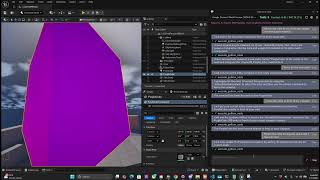
VibeUE MCP Tools via Code Mode / Code Execution Mode (Python API in Unreal Engine)
A deep dive into VibeUE's Code Mode / MCP Code Execution Mode. All MCP tools have been ported to a Python API with 6 Python Discovery and Execution tools replacing the original toolset. See the Python API in action creating cubes, assigning materials, and placing 50 lights in a pentagram pattern — all through code execution commands. This mode enables: • Full Python API access to all MCP tools • Code execution for complex batch operations • Rapid prototyping through scripted workflows • Direct integration with external IDEs 🔗 VibeUE: https://www.vibeue.com 📦 GitHub: https://github.com/kevinpbuckley/VibeUE 💬 Discord: Join our community! 👍 Subscribe for the latest VibeUE features and updates!
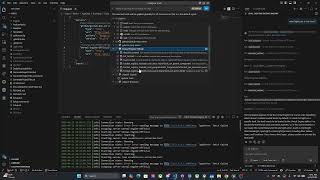
Preview: Epic Games Official Unreal Engine MCP - Lazy Loading Tools (UE 5.8)
Early preview of Epic Games' official MCP (Model Context Protocol) integration in Unreal Engine 5.8 Preview. See the new lazy-loading MCP tools that bring AI-powered editor control to UE5. 📌 What's shown: - Epic's official UE MCP server setup - Lazy loading MCP tools - AI agent integration with Unreal Editor - Comparison with VibeUE MCP approach 🔗 VibeUE: https://www.vibeue.com 🔗 GitHub: https://github.com/kevinpbuckley/VibeUE 🔗 Discord: https://discord.gg/vibeue 👍 Subscribe for the latest Unreal Engine MCP news!
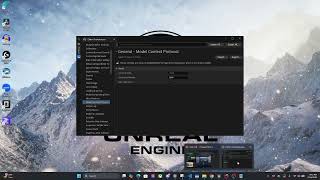
Unreal Engine 5.8 Preview: MCP Configuration and Testing with Claude and Kilo
Learn how to configure and test MCP (Model Context Protocol) in Unreal Engine 5.8 Preview using Claude and Kilo Code. This video walks through the complete MCP setup process. 📌 Timestamps: 0:00 - Introduction to UE 5.8 MCP features 5:30 - Adding MCP to Claude desktop configuration 10:45 - Testing MCP tools in Unreal Engine 15:20 - Working with Kilo Code MCP integration 22:00 - Tips and best practices 📌 Commands demonstrated: claude mcp add --transport ... 🔗 VibeUE: https://www.vibeue.com 🔗 GitHub: https://github.com/kevinpbuckley/VibeUE 🔗 Discord: https://discord.gg/vibeue 👍 Subscribe for more Unreal Engine MCP content!

VibeUE: Generate Height Maps & Build Landscapes with AutoMaterial (Unreal Engine)
Use VibeUE to import height maps and build realistic landscapes with AutoMaterial in Unreal Engine. This tutorial shows AI-powered terrain generation creating Enchanted Rock, Texas. 📌 What's covered: - Importing height maps with VibeUE - Building terrain with AutoMaterial - AI-assisted landscape generation - Real-world terrain recreation (Enchanted Rock, TX) 🔗 VibeUE: https://www.vibeue.com 🔗 GitHub: https://github.com/kevinpbuckley/VibeUE 🔗 Discord: https://discord.gg/vibeue 👍 Subscribe for more Unreal Engine landscape tutorials!

VibeUE + Claude Opus 4.6: Creating Animations in Unreal Engine (AI Skeleton Animation)
Watch Claude Opus 4.6 use VibeUE's Python Discovery and Execution system to figure out skeleton bones, joint rotations, and socket constraints in Unreal Engine. The AI takes screenshots, analyzes existing animations, and iteratively refines poses until it nails the perfect animation on the first try. This showcases how VibeUE gives AI tools to read 3D skeleton data, understand bone hierarchies, and manipulate animation transforms — turning a complex manual process into an AI-driven workflow. 🔗 VibeUE: https://www.vibeue.com 📦 GitHub: https://github.com/kevinpbuckley/VibeUE 💬 Discord: Join our community! 📚 Unreal Engine Skills: https://unrealengineskills.com 👍 If you found this helpful, please like and subscribe for more VibeUE content!

VibeUE HULK SMASH! Niagara VFX Particle Effects in Unreal Engine (AI Vibe Coding)
Watch VibeUE generate a Hulk Smash particle effect showcase using Unreal Engine's Niagara VFX system. This demo shows AI-driven vibe coding creating 3D particle effects — from impact bursts to debris simulation — all through natural language commands. VibeUE makes it possible to create complex Niagara particle systems without manually wiring up emitters, modules, and parameters. Just describe what you want and let the AI build it. 🔗 VibeUE: https://www.vibeue.com 📦 GitHub: https://github.com/kevinpbuckley/VibeUE 💬 Discord: Join our community! 📚 Unreal Engine Skills: https://unrealengineskills.com 👍 Like and subscribe for more VibeUE VFX showcases!
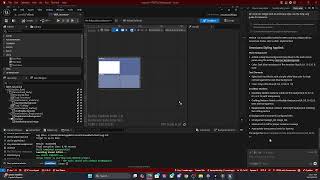
UMG Restyling in Unreal Engine with VibeUE MCP Tool (AI Widget Design)
Watch VibeUE restyle a UMG widget in Unreal Engine using its AI-powered MCP tools. The AI uses the help system — a comprehensive UMG guide — to understand layout panels, background images, and component hierarchy. This demo shows: • Opening and analyzing existing widgets • Adding backgrounds and styling elements • Using the UMG help guide for best practices • Managing panels, child components, and layout Unlike HTML/CSS where AI has massive training data, UMG requires VibeUE's specialized help system to make AI effective. This video shows how that system works in practice. 🔗 VibeUE: https://www.vibeue.com 📦 GitHub: https://github.com/kevinpbuckley/VibeUE 💬 Discord: Join our community! 📚 Unreal Engine Skills: https://unrealengineskills.com 👍 Like and subscribe for more VibeUE tutorials!

VibeUE: Create a Castle in Unreal Engine with Claude Opus (AI-Generated Level)
Watch Claude Opus generate an entire castle in Unreal Engine using VibeUE's AI-powered editor tools. From blueprints to level layout, this showcase demonstrates how VibeUE transforms natural language into fully realized game environments. In this video, you'll see how VibeUE's in-editor chat and MCP tools let you: • Generate entire structures with AI • Manage blueprints and components via chat • Iterate on level design without manual clicking • Connect from your favorite IDE via MCP This is one of the most popular VibeUE showcases — 481 views and growing! 🔗 VibeUE: https://www.vibeue.com 📦 GitHub: https://github.com/kevinpbuckley/VibeUE 💬 Discord: Join our community! 📚 Unreal Engine Skills: https://unrealengineskills.com 👍 Like and subscribe to see more AI-generated game development content!

VibeUE Setup and Configuration: Install & Configure AI Chat for Unreal Engine
Complete guide to installing and configuring VibeUE — the AI chat and MCP server for Unreal Engine. Kevin Buckley walks through everything you need to get started. In this tutorial: • Install via Fab Marketplace or GitHub • Configure in-editor AI chat • Set up MCP server for external IDE access • Connect to OpenRouter for advanced models • Get a free API key with Google sign-in • Choose between engine version branches VibeUE works as both an in-editor chat and an MCP server, supporting Claude, GPT, Gemini, and other models through OpenRouter integration. 🔗 VibeUE: https://www.vibeue.com 📦 GitHub: https://github.com/kevinpbuckley/VibeUE 💬 Discord: Join our community! 📚 Unreal Engine Skills: https://unrealengineskills.com 👍 If this helped you get started, please like and subscribe!

VibeUE MCP Tool: Create Blueprints, Components, Variables & Node Graphs in Unreal Engine
Complete walkthrough of creating game logic in Unreal Engine using VibeUE's MCP Tool. Watch as VibeUE creates a Blueprint from scratch, reparents it to a C++ character class, adds variables with input/output parameters, and connects nodes on the event graph. What's covered: • Creating new Blueprint classes • Reparenting to C++ characters • Setting skeletal meshes on components • Modifying component properties (light colors, etc.) • Connecting nodes in function graphs • Compiling and testing in real-time 🔗 VibeUE: https://www.vibeue.com 📦 GitHub: https://github.com/kevinpbuckley/VibeUE 💬 Discord: Join our community! 📚 Unreal Engine Skills: https://unrealengineskills.com 👍 Subscribe for more Unreal Engine AI development content!

Refactor Unreal Engine Widgets from Blueprint to C++ with VibeUE MCP
Watch VibeUE refactor complex Unreal Engine widgets from Blueprint spaghetti code to clean C++ architecture. Starting with a messy game jam radar widget, the AI analyzes the entire event graph, identifies redundant patterns, and refactors into proper class-based design. This video demonstrates: • Opening and analyzing existing widget blueprints • Reviewing all components, functions, and event graphs • Identifying refactoring opportunities • Converting Blueprint logic to C++ code • Working through compile-and-iterate cycles Perfect for developers looking to modernize their Blueprint-heavy projects with AI assistance. 🔗 VibeUE: https://www.vibeue.com 📦 GitHub: https://github.com/kevinpbuckley/VibeUE 💬 Discord: Join our community! 📚 Unreal Engine Skills: https://unrealengineskills.com 👍 Like and subscribe for more Unreal Engine refactoring content!

VibeUE Speech to Text: Vibe Coding in Unreal Engine with Voice Commands
Vibe coding Unreal Engine using speech-to-text! This demo shows how you can control Unreal Engine with voice commands through VibeUE's speech-to-text integration. Find blueprints, inspect variables, modify replication settings, and add new variables — all hands-free using natural speech. Perfect for accessibility or rapid iteration while keeping your hands on the design. Commands shown: • Find and open character blueprints • Inspect replication settings • Add and configure new variables • Modify component properties via voice 🔗 VibeUE: https://www.vibeue.com 📦 GitHub: https://github.com/kevinpbuckley/VibeUE 💬 Discord: Join our community! 📚 Unreal Engine Skills: https://unrealengineskills.com 👍 Like and subscribe for more AI-assisted game development!
VibeUE Animation: Preview of Upcoming AI Animation Tools (Google Gemini + Unreal Engine)
A sneak peek at VibeUE's upcoming animation tools powered by Google Gemini 2.5 Flash Preview. This short demo showcases the future of AI-driven animation workflows in Unreal Engine. VibeUE is bringing cutting-edge AI models directly into your Unreal Engine editor, making it possible to generate, edit, and iterate on animations using natural language — no more manual keyframing. 🔗 VibeUE: https://www.vibeue.com 📦 GitHub: https://github.com/kevinpbuckley/VibeUE 💬 Discord: Join our community! Stay tuned for the full feature release. Subscribe so you don't miss it!

VibeUE: StateTree Voice Commands with Google Gemini Flash 3
Control Unreal Engine StateTree behavior with voice commands using VibeUE and Google Gemini Flash 3. Speak to modify StateTree tasks in real-time during development. 📌 What's demonstrated: - Voice-controlled StateTree modification - Google Gemini Flash 3 integration with VibeUE - Real-time AI behavior tree editing - Speech-to-text for Unreal Engine development 🔗 VibeUE: https://www.vibeue.com 🔗 GitHub: https://github.com/kevinpbuckley/VibeUE 🔗 Discord: https://discord.gg/vibeue 👍 Subscribe for AI-powered Unreal Engine development!

VibeUE Transactional Processing: Undo/Redo for AI Actions in Unreal Engine
VibeUE Transactional Processing allows you to undo and redo AI-generated changes in Unreal Engine. Each AI action becomes a transaction that can be rolled back — safe, iterative development. 📌 Key features: - Transaction-based AI operations - Full undo/redo support for AI actions - Safe experimentation with AI tools - Atomic operations for complex changes 🔗 VibeUE: https://www.vibeue.com 🔗 GitHub: https://github.com/kevinpbuckley/VibeUE 🔗 Discord: https://discord.gg/vibeue 👍 Subscribe for more VibeUE features!
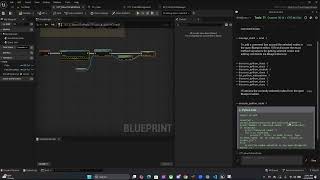
VibeUE: Comment Unreal Engine Graph Nodes with AI
Use VibeUE to automatically add comments to your Unreal Engine Blueprint and Material graph nodes with AI-generated descriptions. Keep your graphs clean, documented, and team-friendly. 📌 Features: - AI-powered node commenting - Works with Blueprints and Material graphs - Automatic documentation generation - Clean, readable graph organization 🔗 VibeUE: https://www.vibeue.com 🔗 GitHub: https://github.com/kevinpbuckley/VibeUE 🔗 Discord: https://discord.gg/vibeue 👍 Subscribe for more VibeUE tips!

VibeUE + Kilo Code: Unreal Engine MCP Integration
Connect VibeUE with Kilo Code for Unreal Engine MCP-based development. This tutorial shows how to set up and use Kilo Code as your AI coding assistant with VibeUE. 📌 What you'll learn: - Setting up Kilo Code with VibeUE - MCP connection configuration - Using Kilo Code for Unreal Engine development - State Trees and blueprint generation 🔗 VibeUE: https://www.vibeue.com 🔗 GitHub: https://github.com/kevinpbuckley/VibeUE 🔗 Discord: https://discord.gg/vibeue 👍 Subscribe for more!

VibeUE Memory: Persistent AI Memory for Unreal Engine Development
VibeUE Memory gives your AI assistant persistent project-specific memory in Unreal Engine. The AI remembers your project context, preferences, and previous commands between sessions. 📌 Features shown: - Persistent memory across Unreal Engine sessions - Project-specific context retention - Smarter AI responses that remember your project - Streamlined development workflow 🔗 VibeUE: https://www.vibeue.com 🔗 GitHub: https://github.com/kevinpbuckley/VibeUE 🔗 Discord: https://discord.gg/vibeue 👍 Subscribe for more VibeUE tips!

Claude Code Took Over Unreal Engine 5 and Built a Game
I spent over a month trying to get Claude Code to actually work inside Unreal Engine 5. 🔗 Full Guide and Links: https://www.top3d.ai/learn/claude-code-unreal-engine But I found gold for you: two plugins that actually work together with Claude Code, and they’re completely free. The only thing you pay for is Claude Code itself. I’ll show you exactly how to install it, how to prompt it so it actually helps, and the workflow I use myself: bringing in my own assets, dropping them into the engine, and having Claude build around them. --- 🦊 My 3D AI course: https://learn3d.ai/3d-ai/cc-ue5 Learn the complete process of turning AI-generated assets into production-ready 3D characters — from concept to UE5. 🏆 Compare the best 3D AI tools in our leaderboard: https://top3d.ai --- ⏱️ Chapters 00:00 Intro 🚀 01:10 Why most Claude + UE5 setups fail 03:00 The two free plugins 05:15 Getting the API key and MCP connection working 07:25 Launching Claude inside the project folder 09:20 Prompting Claude so it actually does useful work 11:10 Cleaning up the scene and working with your own assets 12:55 Building the game prototype 14:40 Blueprint changes, logic, and iteration 16:05 Final playtest and takeaways --- Contacts 🗣️ Discord: https://discord.gg/am7nu68r9Z 🐦 X (Twitter): https://x.com/Stefan_3D_AI 🔗 LinkedIn: https://www.linkedin.com/in/stefan-3d-ai/

VibeUE + Unreal Engine Skills: UMG Best Practice Review with AI
Review UMG (Unreal Motion Graphics) best practices using VibeUE and Unreal Engine Skills. Let AI analyze your widget designs and suggest improvements based on UE5 best practices. 📌 What's covered: - AI-powered UMG best practice review - Using Unreal Engine Skills with VibeUE - Widget optimization recommendations - Real-time UI analysis in the editor 🔗 VibeUE: https://www.vibeue.com 🔗 Unreal Engine Skills: https://www.unrealengineskills.com 🔗 GitHub: https://github.com/kevinpbuckley/VibeUE 🔗 Discord: https://discord.gg/vibeue 👍 Subscribe for AI-assisted Unreal Engine development!

VibeUE: Agentic Testing & Development Feedback Loop (Claude + DeepSeek + Unreal Engine)
Build an agentic testing and development feedback loop using Claude, DeepSeek, OpenRouter, and VibeUE in Unreal Engine. Watch AI agents iteratively test and improve your game code. 📌 What you'll learn: - Setting up multiple AI agents for game development - Using OpenRouter to switch between Claude and DeepSeek - Creating a feedback loop for automated testing - VibeUE MCP tools for real-time Unreal Engine control 🔗 VibeUE: https://www.vibeue.com 🔗 GitHub: https://github.com/kevinpbuckley/VibeUE 🔗 Discord: https://discord.gg/vibeue 👍 Subscribe for more AI-powered Unreal Engine workflows!

VibeUE: Improve Unreal Engine Game Frame Rate by 20% (AI Performance Optimization)
Use VibeUE and Claude Code to profile and optimize Unreal Engine game performance — achieving a 20% frame rate improvement by reducing Game Frame Time and refactoring State Trees. 📌 In this video: - Profiling frame rate bottlenecks in Unreal Engine - Using VibeUE MCP tools to identify performance issues - Refactoring State Trees for better efficiency - Results: 20% FPS improvement 🔗 VibeUE: https://www.vibeue.com 🔗 GitHub: https://github.com/kevinpbuckley/VibeUE 🔗 Unreal Engine Skills: https://www.unrealengineskills.com 🔗 Discord: https://discord.gg/vibeue 👍 Like & Subscribe for more Unreal Engine AI development tutorials!
READY TO START VIBE CODING?
Join developers using VibeUE MCP tools to revolutionize their Unreal Engine workflow.